


Imprint: Learn Visually
4.51.59K Reviews
App Specs
- Version
- 3.11.0
- Updated On
- License
- Free
- Downloads
- 1,000,000+
- Developer
- Polywise
- Categories
- Education
- Platform
- Android, iOS
Screenshots
 Analysis by AppCompare
I tend to trust learning apps most when I can judge the learning experience for myself rather than rely on bold promises. Imprint: Learn Visually is an education app from Polywise that puts visual presentation at the center of its lessons. I find that approach appealing when a subject feels abstract or a long block of text is hard to stay with, though attractive visuals alone are not a substitute for careful study.
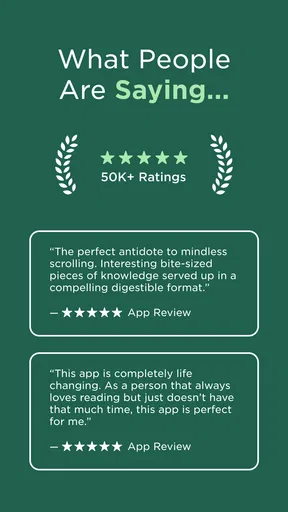
Its public reception is substantial enough to make it a familiar option: it has an average rating of 4.4 from around 11,000 ratings, with over a million installs. Those figures suggest broad interest, not a guarantee that its teaching style suits everyone. The app is free to install, is rated for everyone, and offers in-app purchases priced from $15.99 to $99.99 per item. I would treat the free entry point as a chance to assess the format before deciding whether any paid option is worthwhile.
What I look for before settling in
For a study tool, trust is partly about whether I can understand what I am choosing and whether the experience fits my habits. I would check the app’s current permission requests and privacy information on the device and in the relevant store before sharing personal details or making a purchase. I would not assume that an educational app needs access to anything beyond what it explains, and I would pause if a request seemed unrelated to the task at hand.
That is especially useful advice for anyone trying a new learning service on a shared phone or a device used for school or work. I make a habit of reviewing account and notification choices during setup rather than tapping through automatically. It takes little time and helps me keep learning reminders, personal information, and payment decisions under my control.
Keeping control of the learning routine
My practical approach is to start with a small session and see whether the visual lessons actually help me recall the ideas afterward. I would avoid treating a streak or a completed screen as proof of mastery; a better test is whether I can explain the point in my own words later. That distinction matters with any app built to make learning feel engaging.
If I decide to explore a paid option, I would read the price and terms shown at the point of purchase, then confirm which account or store manages the transaction. Since the available in-app purchases range widely, I would not buy simply because I had enjoyed a free lesson. First I would establish that the topics, pace, and level of detail are a good match for what I want to learn.
First Impressions
When I first opened Imprint: Learn Visually, I was immediately greeted by a clean and intuitive interface. Everything is laid out so neatly, it almost feels like the app is giving you a warm welcome. The vibrant colors and minimalistic design really draw you in, making it a pleasant place to spend time learning.
Worth Reading Before You Choose

EA SPORTS FC Mobile 26 Is a Bigger Football Game, but It Takes Time

Flipboard Shows What News Apps Must Do Beyond the Feed

Switching to Android Auto Means Rethinking Your Driving Routine

Google Calendar Makes a Crowded Week Easier to Manage

Ludo King Makes the Most of the Minutes Between Plans

Baby Panda World Brings Quick Play to Modern Phones, but Its Game Library Feels Busy
One of the first things I noticed was how easy it was to navigate through the app. Whether you're tech-savvy or not, you'll find it straightforward. There’s a handy tutorial at the start that guides you through the main features, which I found very helpful.
Features That Stand Out
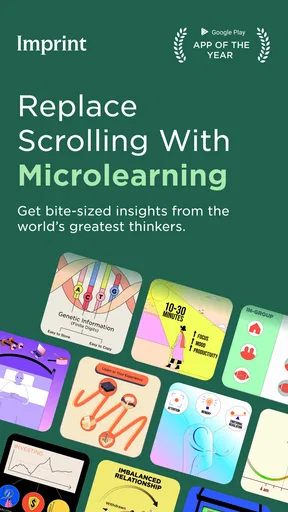
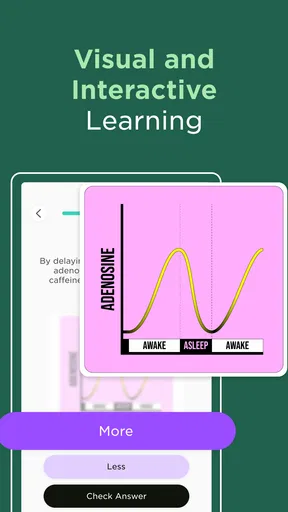
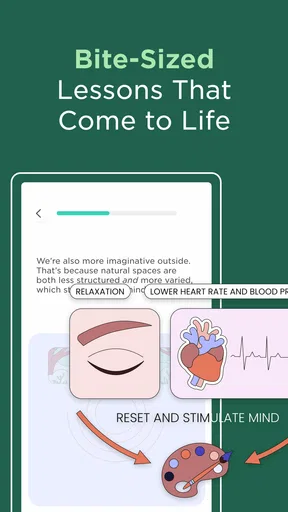
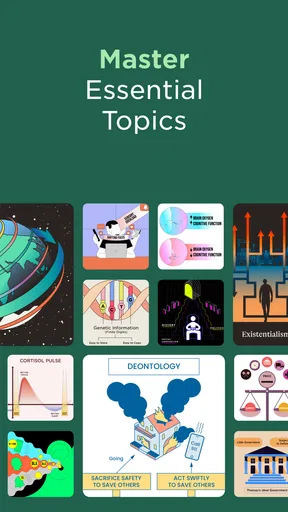
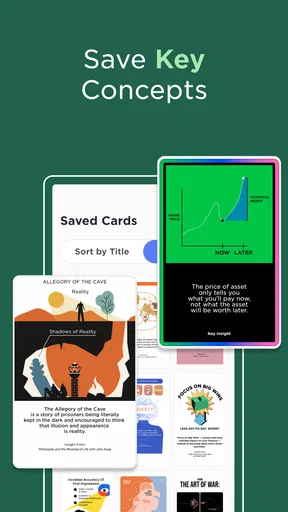
What sets Imprint apart is its unique approach to learning. The app uses a combination of visual aids, interactive infographics, and spaced repetition to help you retain information. It’s like having a personal tutor who knows exactly how to make things stick in your brain.
The interactive infographics are a highlight for me. They break down complex topics into digestible parts, which makes even the driest subjects seem interesting. For instance, learning about the periodic table becomes less of a chore and more of an engaging visual journey.
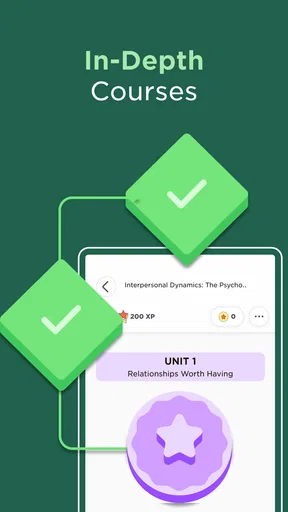
Another cool feature is the spaced repetition system. This is a proven method to improve memory retention by spacing out learning sessions. The app tracks your progress and ensures you revisit topics at the perfect time, reinforcing your memory just when you need it.
Making lessons useful beyond the screen
I get the most from visual explanations when I pair them with an active recall habit. After a short lesson, I close the app and try to sketch the main idea or explain it aloud without looking. If I cannot do that, I know I need another pass. This is a simple way to turn a polished infographic into something I can actually retrieve later, instead of just recognizing it while it is on screen.
A realistic routine might be to use a few spare minutes before class, during a quiet commute, or after dinner to revisit one topic rather than attempt a long study marathon. I would pick a theme that connects to something I already need to understand, then return to it later and test what stuck. The value is not merely filling idle time: short sessions work best when I give them a clear purpose and leave room to recall the material unaided.
This makes the app particularly appealing to curious learners who like visual summaries, students seeking a supplementary explanation, or busy adults exploring a topic without starting with a textbook. It is less suitable as a sole source for exam preparation, technical training, or research. In those cases, I would pair it with course materials, worked examples, or authoritative references that provide depth and let me check details.
Customization and Flexibility
Imprint also allows for a decent level of customization. You can tailor your learning experience to fit your personal preferences. Whether it’s adjusting the difficulty level or choosing specific topics to focus on, the app makes it simple to create a personalized learning path.
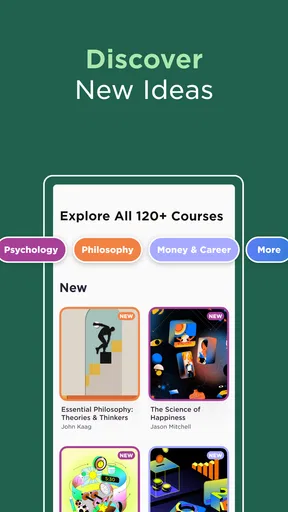
The flexibility extends to the types of content available. From science and history to business and technology, there’s a wide range of subjects. This variety keeps things fresh and interesting, so you’re never stuck in a learning rut.
Choosing it over familiar study methods
Compared with a textbook or a conventional article, Imprint’s visual format can make a quick first pass feel less intimidating. Its infographics give ideas a shape and sequence, which can help me see how parts relate. The trade-off is that a concise visual explanation may leave out qualifications and detail that prose, lectures, or specialist references can provide. I would use it to build orientation, then move to a fuller source whenever precision matters.
Flashcard apps are a different kind of alternative. They are often better when I already have specific facts, terms, or definitions to drill, especially if I want to create and control the prompts myself. Imprint’s strength, as I see it, is the guided visual presentation and review rhythm; that is not the same as having a complete custom flashcard system. If my goal is memorizing a class’s exact vocabulary, I would choose the tool that lets me practice that material directly.
For a practical workflow, I would use an Imprint lesson to get the broad picture, jot down two or three questions it raises, and answer those with a textbook or trusted reference. Then I would revisit the visual lesson later and try to reconstruct its main points. This combination avoids expecting a compact app lesson to do the work of a whole course, while still using its format where it is most helpful.
Engagement and Motivation
Let’s talk about motivation—because we all know learning can be a bit of a drag sometimes. Imprint does a fantastic job of keeping you engaged. The app incorporates gamification elements, like earning badges and tracking streaks, which add a fun competitive edge to your learning.
There’s also a community aspect where you can connect with other learners. Sharing progress and tips with others keeps you motivated and accountable. It’s like having a study group in your pocket.
Where I would slow down
Engagement tools can encourage consistency, but I try not to let them decide what I study or how long I spend. A streak is useful only if it supports a real learning goal; if I am tired, a brief review or a day away can be more sensible than rushing through material to preserve a badge. People who prefer quiet, self-directed study may also find community features unnecessary, so I would treat them as optional motivation rather than a reason to join.
One question many learners have is whether a visual lesson can stand on its own. For a broad introduction or a refresher, it may be enough to orient me. For a consequential decision, a graded assignment, or a subject where small distinctions matter, I would verify the information with a reliable source. The format can make a topic approachable, but it cannot remove the need to check important claims.
I would also be deliberate about what I share in any social or account-based part of a learning app. Before posting progress or connecting with others, I would look at the available visibility and account controls and choose only what I am comfortable making visible. That is a useful habit in any community feature, especially when using the same device or account for personal and school activities.
Room for Improvement
No app is perfect, and Imprint is no exception. While the app is robust, I did notice that some of the infographics can take a little while to load, especially if your internet connection isn’t the best. It would be great if they could optimize the loading times in future updates.
Another minor gripe is that some of the content could be expanded. While there’s a solid range available, certain niche topics might not be as detailed as some might hope. However, the developers do seem to be actively updating and adding new content, which is promising.
Those limits shape how I would plan to use it. If I have a dependable connection and want an inviting overview, the visual approach is a good fit. If I need to study somewhere with unreliable service, I would prepare another resource rather than assume every lesson will be ready when I need it. And if I am pursuing a narrow subject, I would check whether the available material goes far enough before making the app the center of my study plan.
The purchase range is another reason to make a deliberate choice. Free access lowers the barrier to trying the app, but a higher-priced in-app option deserves a clear purpose in my routine. I would compare the material I expect to use with the price displayed in the purchase flow, and consider whether a library book, course resource, or free reference better meets the same need. A purchase makes sense only if the content and format are useful to me over time.
The app’s version 3.8.0 requires Android 8.0 or later, so I would check compatibility before installing it on an older device. It was released on December 30, 2022, and Polywise is the developer behind it. Those details give a little context, but my decision would still come down to whether the lessons load reliably, suit my learning style, and offer enough depth for the subject I care about.
Final Thoughts
Overall, Imprint: Learn Visually is a fantastic tool for anyone looking to enhance their learning experience. Its engaging visuals and smart learning strategies make absorbing information not only easier but also more enjoyable. Whether you’re a student, a professional, or just someone with a thirst for knowledge, this app is definitely worth checking out.
So, if you’re ready to transform the way you learn, give Imprint a try. It might just be the app you didn’t know you needed!
Who I would recommend it to
I would recommend giving it a try if you learn well from diagrams, want a friendly introduction to a subject, or need a small learning routine that can fit around a busy day. I would be more cautious if you need comprehensive coverage, must work offline, prefer plain text, or want to build a precise personal deck of facts. Those are not reasons to dismiss the app; they are reasons to match it with the right job.
My bottom line is to start with one topic you genuinely want to understand, test whether you can recall its main points later, and review the account, privacy, and purchase choices before sharing information or spending money. The free starting point makes that evaluation straightforward, while a 4.4 average and broad adoption offer context rather than a promise. If its visual lessons help you return to ideas and explain them clearly, it can earn a useful place in your learning routine; if you need depth or exact control over study material, another resource may serve you better.
Pros
- Engaging visual learning tools.
- User-friendly interface design.
- Wide variety of subjects covered.
- Regular content updates.
- Offline access available.
Cons
- Limited advanced topics.
- Some content requires in-app purchases.
- Occasional loading delays.
- No dark mode option.
- Limited language support.
FAQs for Imprint: Learn Visually
What is Imprint: Learn Visually and how does it work?
Imprint: Learn Visually is an innovative educational app designed to enhance learning through visual content. It utilizes infographics, videos, and interactive elements to make complex topics easier to understand. Users can explore various subjects, making learning both engaging and efficient. Whether you're a student or a lifelong learner, Imprint offers a fresh approach to education.
Is Imprint: Learn Visually suitable for all age groups?
Yes, Imprint is designed to cater to a wide audience, from young learners to adults. The app offers a range of topics and adjusts the complexity of content based on user preferences. Parents can use it to support their children's education, while adults can explore topics of personal or professional interest.
Does Imprint: Learn Visually require an internet connection?
While some features of Imprint may require an internet connection, especially for accessing the latest content and updates, many materials can be downloaded for offline use. This makes it convenient for users to learn on the go without worrying about connectivity issues.
Are there any subscription costs or in-app purchases in Imprint: Learn Visually?
Imprint offers a variety of subscription plans, including a free version with limited access and premium plans that unlock additional features. In-app purchases may be available for specific content packs or enhanced learning experiences. Be sure to review the pricing details in the app store for more information.
How does Imprint: Learn Visually ensure the accuracy of its educational content?
Imprint collaborates with expert educators and subject matter specialists to curate and review its content. Regular updates and feedback loops help maintain accuracy and relevance, ensuring that users receive high-quality and up-to-date educational materials. This dedication to quality makes Imprint a reliable learning tool.


